The complete workstation for live audio streaming and recording.
macOS 12 Monterey, Apple Silicon or Intel (universal binary)
Mixlr Studio also works on Windows
Mixlr Studio is audio streaming software, built for modern broadcasters. Broadcast live to your audience, record studio-quality audio locally, run unlimited inputs, trigger sound effects and playlists, monitor your stream in real time, and edit recordings.
All from one digital audio workstation.
Live Audio Streaming
Live broadcasting is the core of what Mixlr does, and Mixlr Studio is built to deliver it to the highest possible standard. Stream directly to your Mixlr channel with industry-standard codec support, configurable bitrate, and low-latency encoding, so your audience tunes in to clean, reliable audio every time.
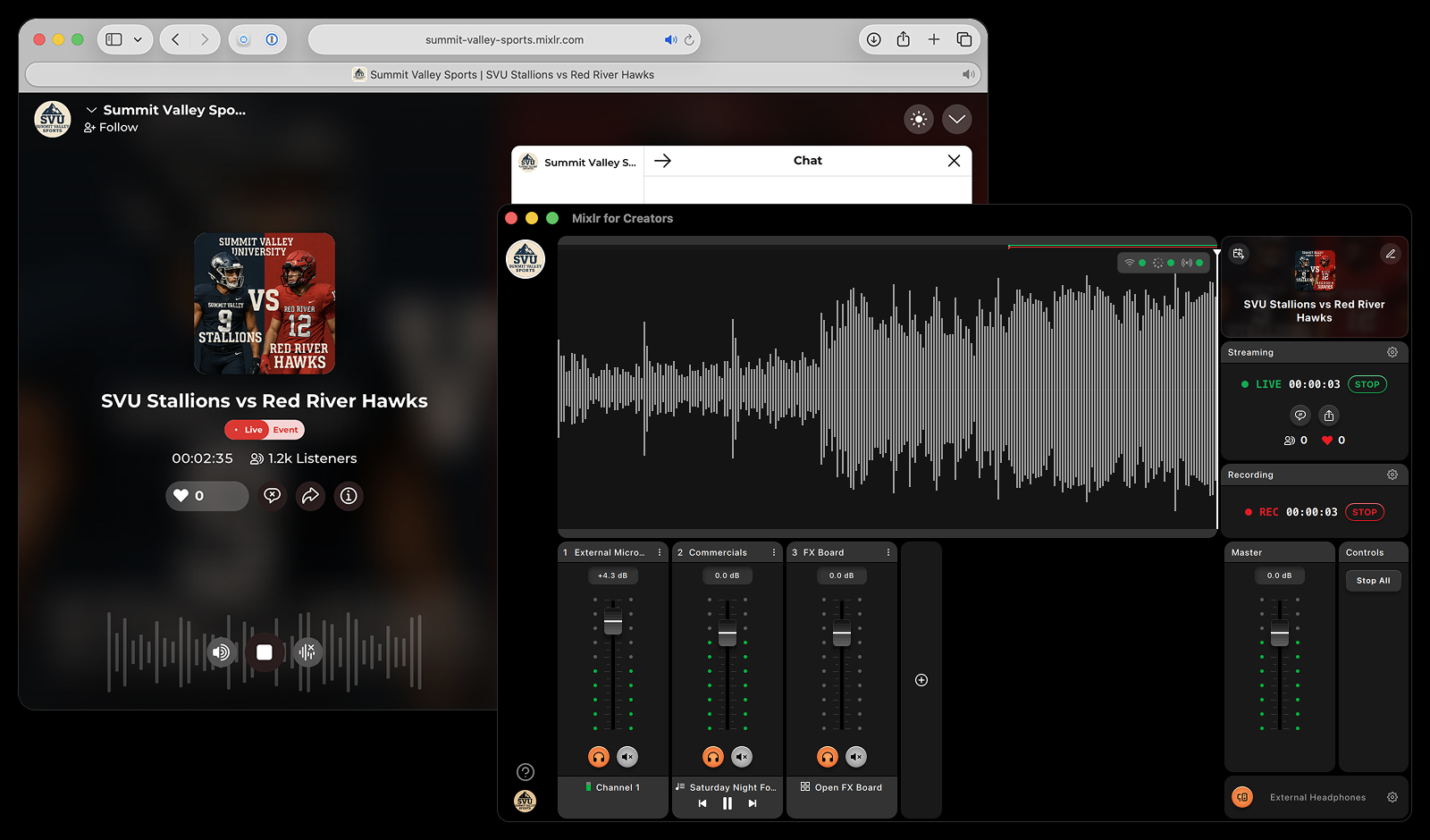
The live waveform gives you instant visual feedback throughout your entire session.
See audio from every input in real time, with live and recording markers showing exactly when you went live, where recording started, and where your broadcast ended.
Record and edit on the spot.
Record multiple inputs in studio-quality audio - entirely offline - for podcasts, interviews, rehearsals, and pre-recorded content. When your session ends, Mixlr Studio takes you straight into the built-in recording editor. Review your waveform, listen back, and make precise edits without leaving the app.
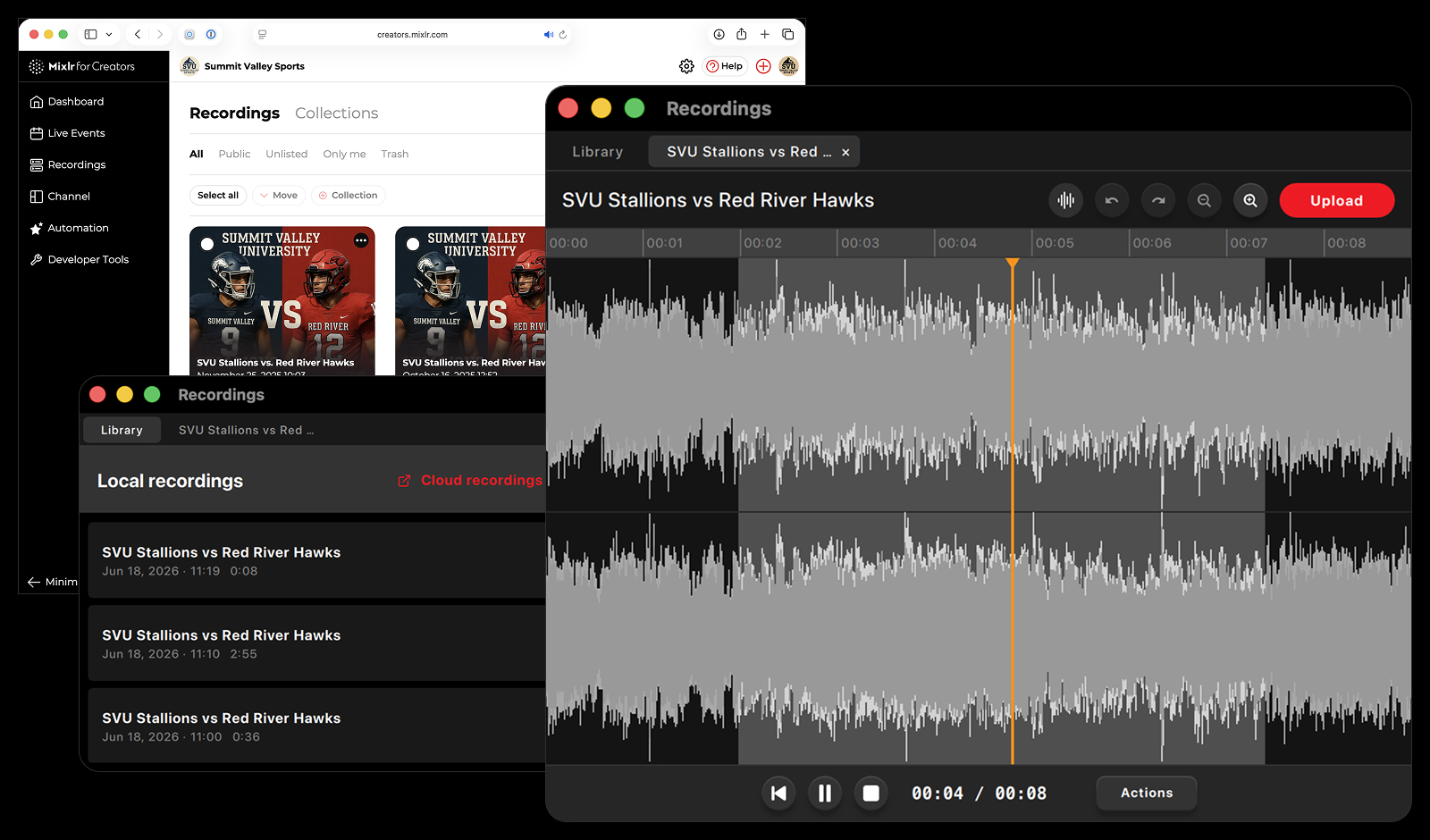
Save edits as new recordings, preserve your originals, and choose how to publish. Save to your hosted recordings on Mixlr, or distribute via your RSS feed to wherever you publish your audio content. Your full recordings library is always one click away from the built-in tab view.
You can also start, stop, and edit recordings during a live broadcast: pop open the editor without ever pausing your stream.
-
Cut and trim sections
-
Undo and redo
-
Zoom controls
-
Stereo and combined waveform views
Simple to set up. Built for any production.
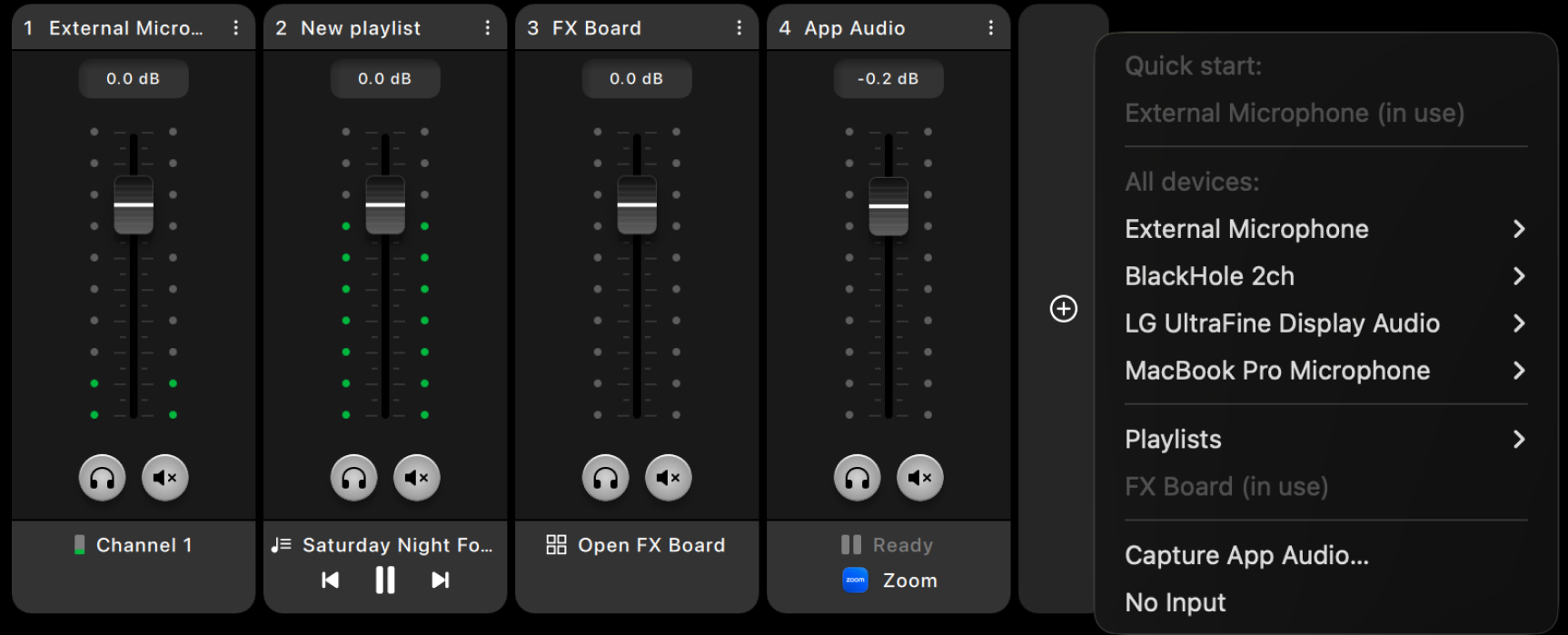
Mixlr Studio works for everyone, from solo broadcasters to multi-input, large-scale live productions. Start simple, with just a microphone, or scale up with unlimited inputs, playlists and an FX board running for your professional production. Add as many inputs as you need, in any combination - including audio routed in from another app via App Capture:
-
Multiple audio devices
-
Multiple playlists
-
FX board
-
App Capture
Under the hood, Mixlr Studio runs on a custom built audio graph engine, the same architectural standard used by professional digital audio workstations. The result is low-latency processing, flexible routing, and the headroom to handle whatever you throw at it. Audio devices are also detected automatically in the background, so your setup stays responsive while live.
Sound effects and playlists at your fingertips
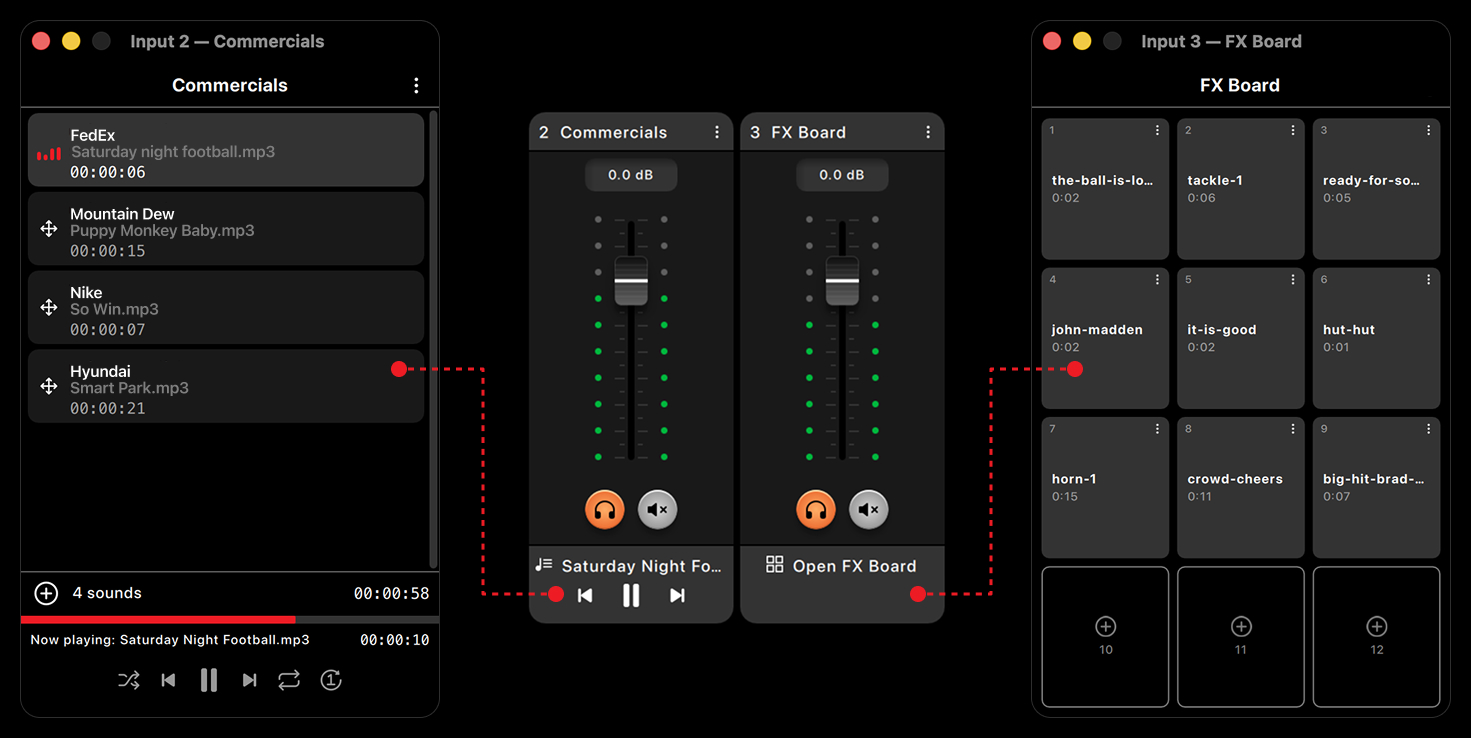
Trigger instant sound effects, jingles and stingers from customizable FX pads built directly into Mixlr Studio. Playlists are designed for the pace of any session, from fill to pre-recorded segments:
-
Mini playback controls
-
Pop-out windows so you can see every track in a playlist at a glance
-
Live progress visibility within tracks
-
Fast track management while broadcasting or recording
Built for anyone who needs speed, flexibility, and precision.
Built for stability
When you're broadcasting, you need to trust your tools. Mixlr Studio is engineered for stability, with complete visibility into your broadcast status at all times.
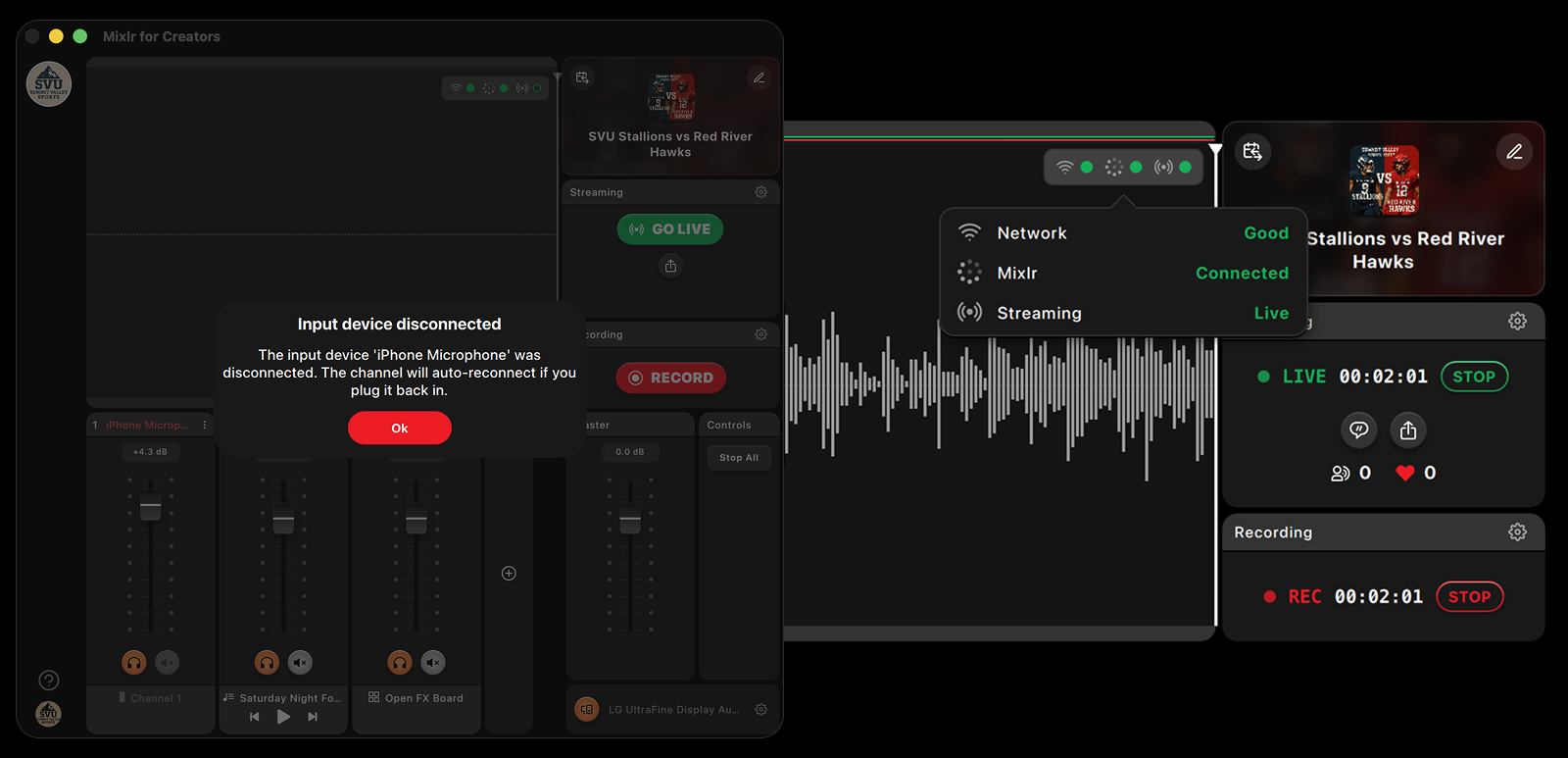
Behind the scenes, Mixlr Studio handles the details that keep your show on air: graceful reconnect handling if your connection drops, persistent output settings, and reliable device handling.
Monitor your broadcast status:
-
Network
Your local network connection
-
Mixlr
Your connection to listener counts, chat messages, and hearts data
-
Streaming
Your live connection to Mixlr's streaming servers
Part of the wider Mixlr platform
-
Create
-
From your desktop
-
From your mobile device
-
-
Host
-
On your Mixlr channel
-
On your own website / app
-
-
Distribute
-
Anywhere
-
Broadcast like a professional
Whether you're covering sports, streaming live radio, recording podcasts, hosting conferences, or producing large-scale live events, Mixlr Studio gives you the power and flexibility to broadcast professionally.
macOS 12 Monterey, Apple Silicon or Intel (universal binary)
Mixlr Studio also works on Windows
Intermediate
Bring all your live events to your fans
- Unlimited Live broadcasting
- 120 File uploads
Advanced
Fully customizable radio station for your organisation
- Unlimited Live broadcasting
- 240 File uploads
Includes everything in Intermediate +
Enterprise
Custom audio solutions and plans for your business
Talk to our team today Prices start from...
$199
per month
12 month agreement
Talk to us about: